Allgemein
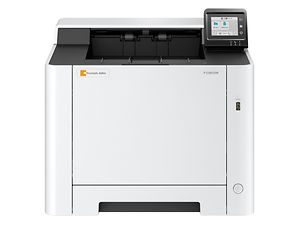
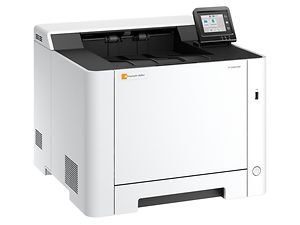
- TypTischgerät
- FunktionDrucken
- DrucktechnologieLaser Farbe und s/w
- Druckformatmax. DIN A4
- Graustufen256
- Papierzufuhr Universalkassetten1 x 250 Blatt
- Papierzufuhr Formate (Erste Kassette)DIN A6R-DIN A4
- Papierzufuhr Multi Bypass1 x 50 Blatt
- Papierzufuhr Formate (Multi Bypass)DIN A6R-DIN A4
- Papierausgabe150 Blatt DIN A4
- Druckauflösung (min)600 x 600 dpi
- Druckauflösung (max)1.200 x 1.200 dpi (reduzierte Geschwindigkeit)
- FunktionenDuplex, Apple AirPrint, USB-Direktdruck, Wi-Fi Direct®, Flüstermodus (Halbgeschwindigkeitsmodus), PDF-/XPS-Direktdruck, Touch-Screen, Trusted Platform Module (TPM), Wi-Fi, Mobile Print (Android, iOS), privater Druck, u.v.m., E-Mail Druck, Microsoft Universal Print
- Schnittstellen10/100/1000Base-TX, USB 2.0, USB-Host, Wi-Fi, SD-Slot
- EmulationenKPDL 3 (PostScript 3 kompatibel), PRESCRIBE IIe, XPS, PCL6 (PCL 5c, XL), Open XPS
- NetzwerkprotokolleTCP/IP, Net BEUI
- BetriebssystemeWindows 10, Server 2022, Chrome OS, Mac ab OS 10.14, Windows 8, Server 2012 R2, Server 2008 R2, Server 2016, Windows 8.1, Mac ab OS 10.9, Server 2019, Linux
Umwelt
- Netzspannung220/240 V
- SicherheitCE, GS/TÜV
- Netzfrequenz50/60 Hz
Drucksystem
- FunktionenMobile Print (Android, iOS)/Apple AirPrint, Mopria
Optionen
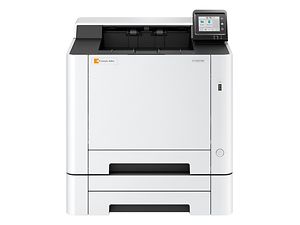
- SonstigesUnterschrank Nr. 77, Card Authentication Kit (B), UG-33 ThinPrint® Kit
- Papierzufuhrmax. 1 x PF-5110 (250 Blatt Universalkassetten [DIN A6R-DIN A4, 60-163 g/m²])


